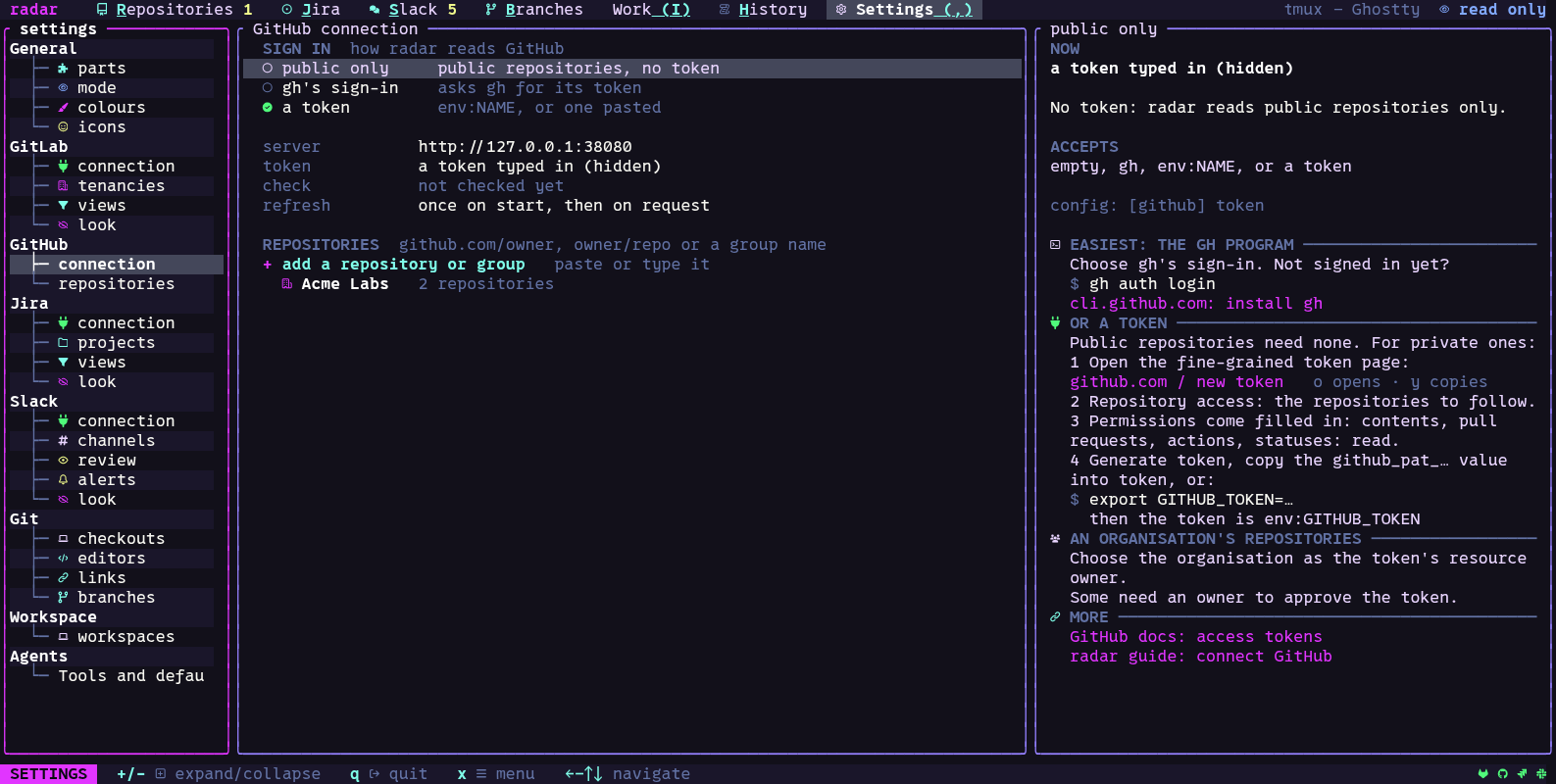
Connect GitHub
The common connection fields are described in Connect services.
- Settings, GitHub, connection (or setup’s GitHub step): the API address is
https://api.github.comfor github.com, orhttps://HOST/api/v3for a GitHub Enterprise Server. - Sign in, one of three ways:
- public only: no token; radar reads public repositories.
- gh’s sign-in:
ghas the token. radar asks theghprogram (gh auth token) when it needs the token, keeps it in memory for a minute at most, and does not store it. - a token that can read your private repositories, as
env:NAMEor pasted. The new-token link fills in the permissions: contents, pull requests, actions and statuses, read. For an organisation’s repositories, choose the organisation as the token’s resource owner; some organisations need an owner to approve the token.
- Settings, GitHub, repositories: enter
github.com/owner(an owner’s repositories),owner/repo(one repository) or a plain name such asClient work(a group of your own). With a token set, an owner’s group opens a picker of the repositories it can read.
radar follows at most 200 repositories. It reads cached data first and checks for changes
about once a minute while refreshing is active. An open pull request with running checks
is refreshed; previously loaded repository Actions are checked when the repository changes
and at least every 15 minutes during normal syncing. r requests a refresh. See the
GitHub guide for partial results and errors.