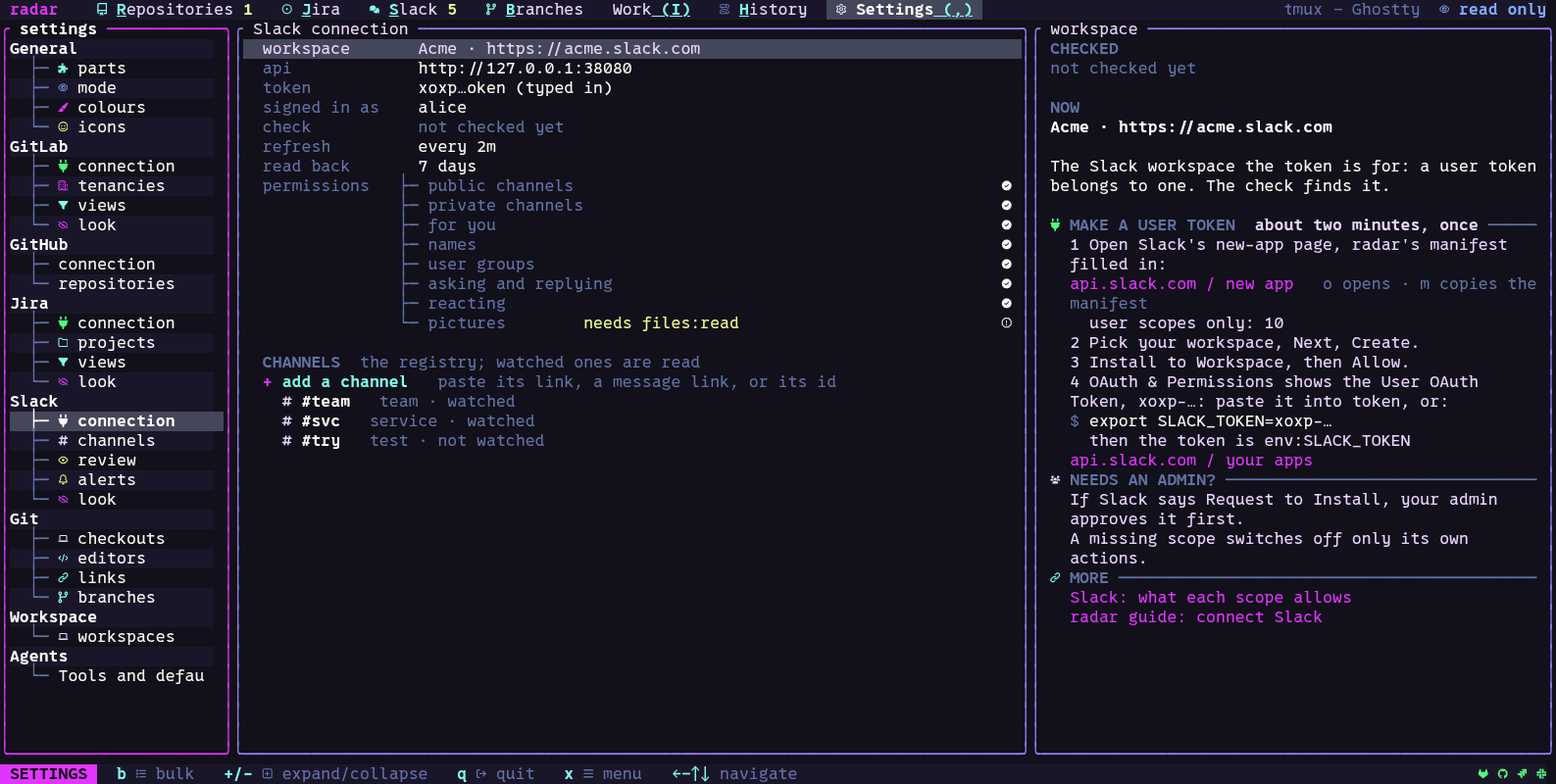
Connect Slack
The common connection fields are described in Connect services.
radar reads Slack as you, so it needs a user token (it starts with xoxp-). A bot token
does not work. The Slack app the token comes from needs these user scopes, depending on what
you use:
| What | Scopes |
|---|---|
| read the public channels you watch | channels:history, channels:read |
| read the private channels you watch | groups:history, groups:read |
| mentions of you, messages to you | search:read |
| who wrote what | users:read |
| your user groups | usergroups:read |
| post review asks and replies | chat:write |
| add reactions | reactions:write |
| pictures in threads | files:read |
After a check, radar says which of these scopes the token lacks. Direct messages and group
messages that mention you come through search:read; radar asks for no im: or mpim:
scope.
The quickest way to an app with these scopes is radar’s own app manifest. In setup’s Slack
step (or Settings, Slack, connection), m copies the manifest and o opens Slack’s new-app
page with it filled in. It asks for user scopes only. Install the app to your workspace and
copy its user token (xoxp-…).
- Settings, Slack, connection: set the token as
env:NAMEor paste it. - Settings, Slack, channels: the channels to watch. Paste a channel’s link, a link to a message in it, or its id.