Get started with radar
This walkthrough gets radar running with a local Git checkout. It does not need a GitLab, GitHub, Jira or Slack account. You can connect a service after you know your way around the workspace.
Install radar
On macOS or Linux with Homebrew, run:
brew install temet-ai/radar/radar
The full name matters because Homebrew has another app named radar. You can
also use mise or a release archive.
Start and set up local code
Run:
radar
On the first run, setup asks which parts to configure. Choose Local code and select a folder containing a Git checkout. Finish the remaining setup steps; services and agents can wait. Radar will still show the Branches and Work screens. First run describes every setup step.
Find a branch
Press B to open Branches. The left pane offers all, dirty, ahead of
remote and stashes views. The middle pane shows checkouts, worktrees and
branches; select a checkout to see its status on the right. Set the folders radar
searches in Settings / Git / checkouts.
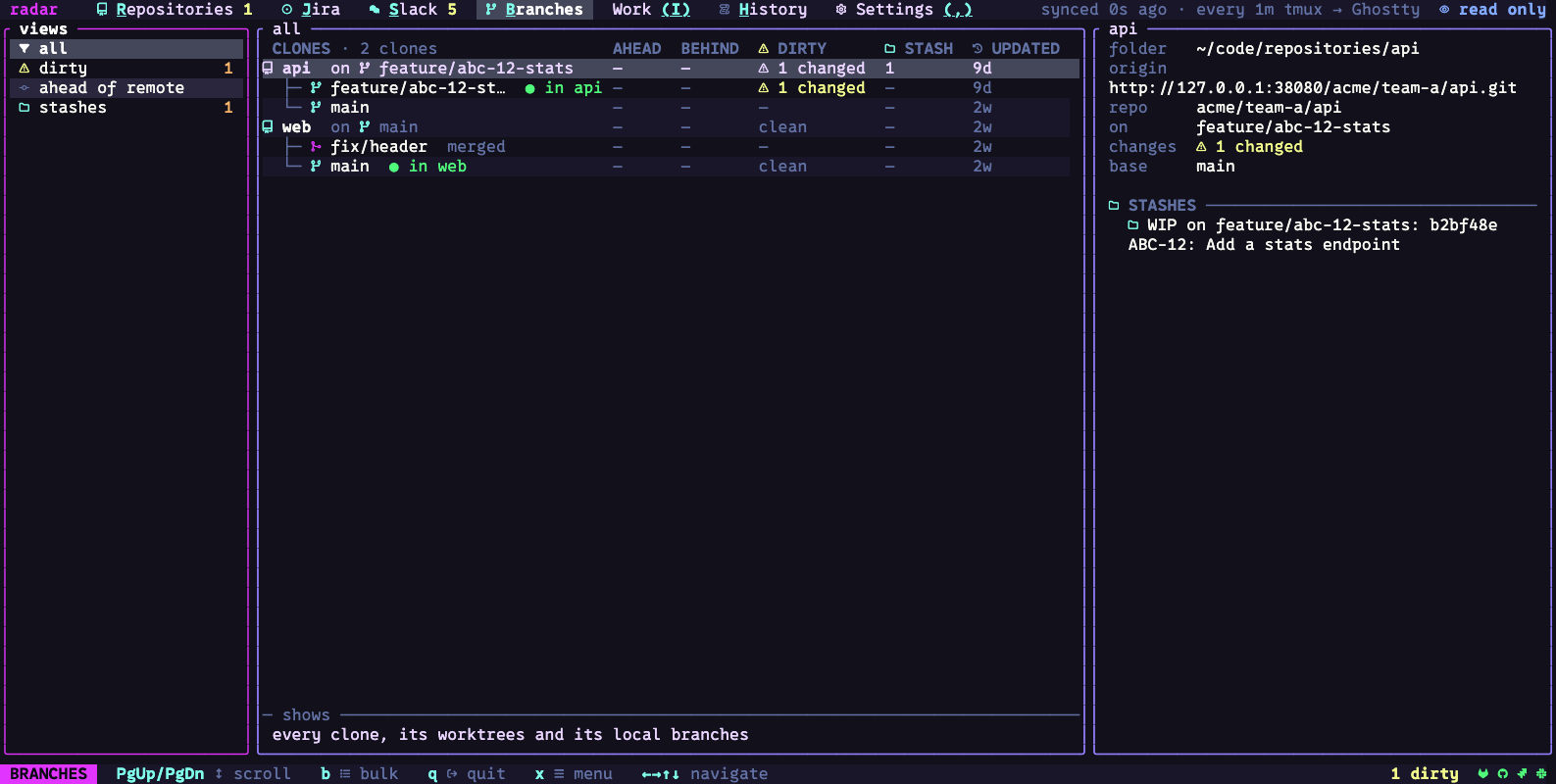
Press x on a selected row to see its available actions. Press esc to close
the menu. The bottom line shows the keys that work at your current position;
press q when you are ready to leave radar.
Next steps
- Connect a service to bring its work into radar.
- Learn the navigation rules for every screen.
- Find a page for every screen and tab, or read the Branches guide.
- See all keys when you need an exact shortcut.
- Use an agent beside a selected item.